


DartCounter
4.8444.00 Reviews
App Specs
- Version
- 9.6.2
- Updated On
- License
- Free
- Downloads
- 1,000,000+
- Developer
- DartCounter
- Categories
- Sports
- Platform
- Android, iOS
Screenshots
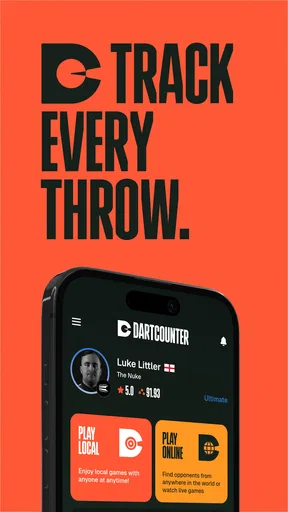
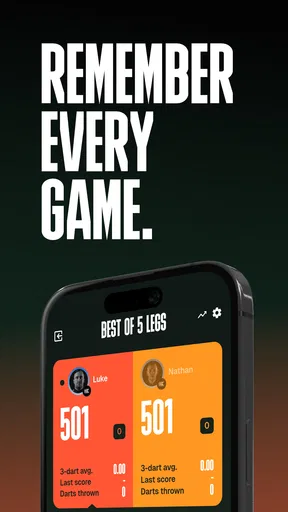
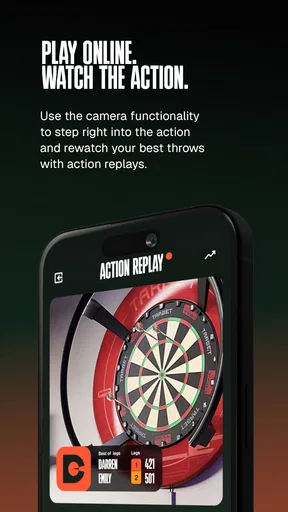
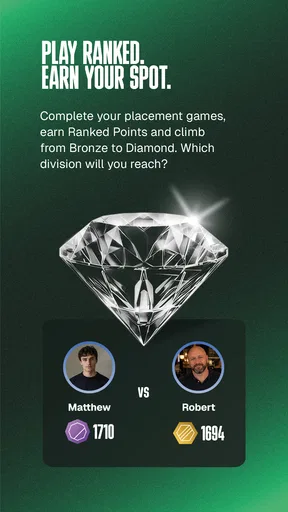



 Analysis by AppCompare
If you’re into darts, you’ve probably spent a good amount of time either at the pub or in your game room, keeping track of scores with a pen and paper. Well, let me introduce you to DartCounter, the app that brings your dart game into the digital age. I’ve had the chance to dive deep into this app, and let me tell you, it’s a game-changer.
What matters to me about a scoring app is not simply whether it can total a leg. It is whether it can keep a casual match moving without turning the phone into the main event. I’d use this one when a group wants to play a familiar darts format, when I’m practising alone and want a record of how a session went, or when paper scoring is becoming a distraction. The best fit is a player who wants the convenience of a digital scorer and is comfortable checking each visit on a screen.
Choosing the right setup for your game
Before opening a match, it helps to agree on the format and who is entering the scores. In a relaxed game, one person can handle the phone while everyone else throws; that keeps the device out of the way and avoids passing it around after every turn. If several players want to follow the score closely, place the phone where it can be seen without putting it in the throwing lane. This small bit of planning makes a bigger difference than it sounds, especially when the room is busy.
A useful habit is to make the scorer part of the turn routine: throw, call out the visit, enter it, then let the next player approach. That order gives the person scoring a moment to verify the entry before play continues. It also makes it easier to catch a mistaken number while everyone still remembers the darts that were thrown. Digital arithmetic removes mental subtraction, but it cannot remove the need for players to report and enter the visit correctly.
Getting Started with DartCounter
First things first, downloading DartCounter is a breeze. It’s available for both Android and iOS, so no worries about compatibility. Once installed, setting up your profile is quick. You can customize your avatar, choose your nickname, and even set your preferred game mode. It’s all about making the app feel like your personal dart assistant.
It is a free sports app from DartCounter, with an Everyone age rating. It first arrived on December 2, 2017, and version 9.1.4 supports Android 6.0 and later. Its 4.8 average from around 48,000 ratings and over 1 million installs suggest that plenty of players have made digital scoring part of their routine. There are in-app purchases, ranging from $3.99 to $39.99 per item, so I’d start with the free experience and decide whether anything extra is worth paying for only after the basic scoring workflow suits you.
Features That Hit the Bullseye
The app is packed with features that cater to both casual players and serious dart enthusiasts. Here’s what stood out to me:
Worth Reading Before You Choose

Flipboard Shows What News Apps Must Do Beyond the Feed

Switching to Android Auto Means Rethinking Your Driving Routine

Google Calendar Makes a Crowded Week Easier to Manage

Ludo King Makes the Most of the Minutes Between Plans

Baby Panda World Brings Quick Play to Modern Phones, but Its Game Library Feels Busy

ESPN’s Live Game View Makes Following Close Games Easier
- Multiple Game Modes: Whether you’re into 501, 301, or Cricket, DartCounter has you covered. Switching between game modes is seamless, and you can even challenge friends or random opponents online.
- Easy Scorekeeping: The app uses a simple interface to keep track of scores. It does the math for you, so you can focus on your game. No more arguments over missed scores or incorrect tallies.
- Performance Tracking: DartCounter offers detailed statistics on your games. You can track your average, check out your highest scores, and even see your progress over time. It’s like having a coach right in your pocket.
- Integration with Smartboards: If you have a smart dartboard, the app can sync with it, making scorekeeping even more streamlined. It’s like stepping into the future of darts.
For practice, statistics are most useful when I treat them as clues rather than verdicts. A single strong or weak session can skew how I feel about my form, so I’d compare several sessions and focus on a repeatable question: am I scoring steadily, or are my visits uneven? A running record can make practice more purposeful, but it does not explain why a throw missed. Pair the numbers with one simple focus for the next session—such as keeping a consistent routine—and the tracking becomes more actionable.
Playing with Friends or Solo
The social aspect of DartCounter is fantastic. You can easily connect with friends and set up matches. The chat feature lets you banter back and forth, adding a layer of fun competition. Even if your friends are on the other side of the world, it feels like they’re right there with you.
Online play is a different kind of handoff from a local game: the app connects the match, while each player still has to make sure the score they submit reflects the darts actually thrown. I’d choose that option when arranging a remote game with someone who already enjoys playing this way. For a quick evening with people standing around the same board, local scoring is simpler and avoids making a social gathering depend on everyone being ready to join online.
But let’s say you’re flying solo. The app offers a practice mode where you can hone your skills. The AI opponents vary in difficulty, so there’s always a challenge waiting for you.
A practical solo routine is to set a clear endpoint before beginning: for example, finish a chosen practice session, review the result, and stop rather than continuing until you are tired. That makes comparisons between sessions fairer, because you are less likely to judge a fresh start against a late, fatigued finish. If the main goal is technique work, I would also keep the phone’s role narrow—record the practice and review the outcome afterward, instead of checking the screen after every dart.
Design and Usability
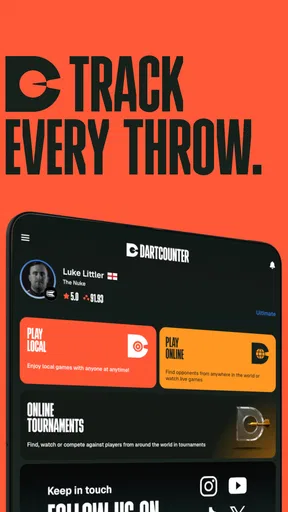
DartCounter sports a clean and intuitive design. Navigation is straightforward, and the color scheme is easy on the eyes. The developers clearly focused on user experience, making sure everything is just a tap away. It’s perfect for those who aren’t the most tech-savvy but still want to enjoy a modern twist on darts.
The most important usability test happens between visits, not while browsing menus. A scorer has to be quick enough that players do not lose the rhythm of the game, while still giving the person entering the score time to correct a slip. I’d keep one designated scorer for a leg and avoid swapping phones between players unless there is a good reason. It reduces fumbling and keeps the phone from becoming a shared object everyone has to reach for.
There is still a trade-off: a phone needs attention, and its screen can pull players away from the board or conversation. Paper remains a perfectly sensible choice when the group wants no devices involved, when the phone battery is low, or when the scorer prefers writing totals by hand. A dedicated electronic board can be a better match for people who want scoring handled at the board itself, especially if they already own compatible equipment. For everyone else, a phone scorer is the more flexible option because it does not require replacing the usual board.
Keeping It Fresh
The app is regularly updated, with the developers constantly adding new features and improving existing ones. This commitment to improvement is a huge plus, as it shows they’re dedicated to providing the best possible experience.
For a first session, I would keep the setup uncomplicated: choose a familiar game, make sure everyone understands who is entering scores, and play a short match before relying on the app for a longer evening. That is an easy way to discover whether the screen flow fits your group. It also gives you a chance to settle any house rules before a close finish, when a disagreement about an entry is much more irritating.
Plus, there are in-app purchases available for those who want to unlock additional features. It’s not necessary to enjoy the app, but it’s a nice option for those who want to enhance their experience even further.
I would not pay simply because an upgrade exists. First, use the free version for the kind of darts you actually play and notice what, if anything, feels limiting. The listed purchase range is broad enough that it makes sense to check the in-app options carefully before spending; the right choice depends on whether an added feature solves a real problem for your routine. If you only need straightforward scorekeeping for occasional matches, keeping things free may be all you need.
One other question is whether this is the right tool for every player. I’d recommend it to casual groups who want easier arithmetic, regular players who like reviewing their results, and people who enjoy remote matches or practice alongside a scorer. I’d skip it if you dislike having a phone near the board, want fully automatic scoring without entering visits, or prefer the simplicity of a chalkboard and a human scorer. Its appeal is convenience, not a promise that every part of playing darts can be automated.
Whether you’re a seasoned pro or a weekend warrior, DartCounter has something to offer. The app makes scorekeeping effortless, connects you with a community of players, and helps you improve your game—all from the convenience of your smartphone. So go ahead, download it, and get ready to take your darts game to the next level.
My recommendation is to try it during an ordinary game rather than judging it by a feature list. If one person can enter the visits reliably and the group enjoys having the totals and results kept digitally, it earns its place in the routine. If those extra phone interactions interrupt the fun, paper scoring is still a good answer. For me, that is the useful distinction: DartCounter can make darts easier to follow, but the best scoring method is the one that lets your group focus on throwing.
Pros
- User-friendly interface enhances navigation.
- Offers detailed statistics tracking.
- Includes various game modes for variety.
- Customizable player profiles.
- Offline mode available for practice.
Cons
- Ads can be distracting and frequent.
- Limited free features without subscription.
- Occasional performance lags.
- Some features locked behind paywall.
- Requires registration to access all features.
FAQs for DartCounter
What is DartCounter and how does it work?
DartCounter is a comprehensive scoring app for dart enthusiasts. It allows players to track scores for various dart games such as 501, 301, and Cricket. Users can create profiles, join multiplayer games, and analyze statistics to improve their skills. The app is designed to enhance the dart-playing experience, whether for casual play or competitive tournaments.
Is DartCounter suitable for beginners as well as advanced players?
Yes, DartCounter is designed to cater to players of all skill levels. Beginners can easily track their scores and progress, while advanced players can delve into detailed statistics and performance analysis. The app offers tutorials and tips to help new users understand the rules and improve their game.
Does DartCounter require an internet connection to function?
While DartCounter can operate offline for basic scoring functionalities, an internet connection is needed for certain features. Online multiplayer games, profile updates, and statistic syncing require connectivity. For the full experience, including community features and real-time updates, a stable internet connection is recommended.
Are there any in-app purchases or subscription fees associated with DartCounter?
DartCounter offers a free version with basic features, but there are optional in-app purchases for additional functionalities. These may include advanced statistics, removing ads, or unlocking premium features. Users can choose to subscribe for a monthly or yearly fee for a more enhanced experience without restrictions.
How user-friendly is DartCounter for non-tech savvy individuals?
DartCounter is designed with a user-friendly interface that is intuitive and easy to navigate. The app includes clear instructions and a straightforward design, making it accessible even for those who are not tech-savvy. The layout is simple, ensuring that users spend more time playing and less time figuring out the app.


